INFO
This article was auto-translated using ChatGPT.
A long time ago, Cloudflare introduced a new feature: email forwarding. If you have a domain bound on Cloudflare, you can see an "Email" option in the management interface. Clicking it allows you to start creating email addresses using your own domain. After that, you need to bind a personal email address that can receive emails. Then, you set up a forwarding address for the email address you created with your domain, directing it to your personal email account. This way, you can use the domain-created email address to receive emails, and this feature also allows you to hide your real email account when necessary. Plus, it has a hidden benefit: it can drive traffic to your website, as the email addresses created with your domain will be in the format XXXXX@yourdomain.
Cloudflare's feature is indeed excellent, and I enabled it immediately. The first email address I created with my domain was i@fatpandac.com. This choice was largely influenced by the author of RSSHub, whose public GitHub email is i@diygod.me.
Actually, even before discovering this, I had seen that iCloud+ offered similar functionality, also for privacy protection. However, that feature had more restrictions; after all, it's an Apple product, and Apple has always been very controlling of its products, so there was little one could do. For example, its hidden email addresses could only end with @icloud.com, and for convenient use, it had to be used exclusively with Apple's Safari browser.
Later, I saw a Chrome extension. It seemed to have found a way to use iCloud+'s "Hide My Email" by sniffing packets and addressing the issue of obtaining an identity code from the iCloud web interface. So, the developer wrote an extension that allowed smooth use of iCloud+'s "Hide My Email" on Chrome. The code is open-source at this link: https://github.com/vytis/icloud-hide-my-email
However, I wasn't entirely satisfied with this extension. After all, the hidden email addresses created with it could only use @icloud.com. So, I decided to write my own extension based on Cloudflare Email Routing.
After consulting Cloudflare's API documentation, I found everything I needed for the extension, and so I began.
To make it convenient to use across all system applications, I decided not to write a browser extension but rather a Raycast extension. Raycast is a quick launcher for macOS that can quickly launch applications, open links, search files, etc., and its interface is very elegantly designed, which I really like.
After a day of development, I completed the extension I envisioned. This extension has two main entry points: one is "List Hide Email," where you can view all your current forwarding rules and also delete them.
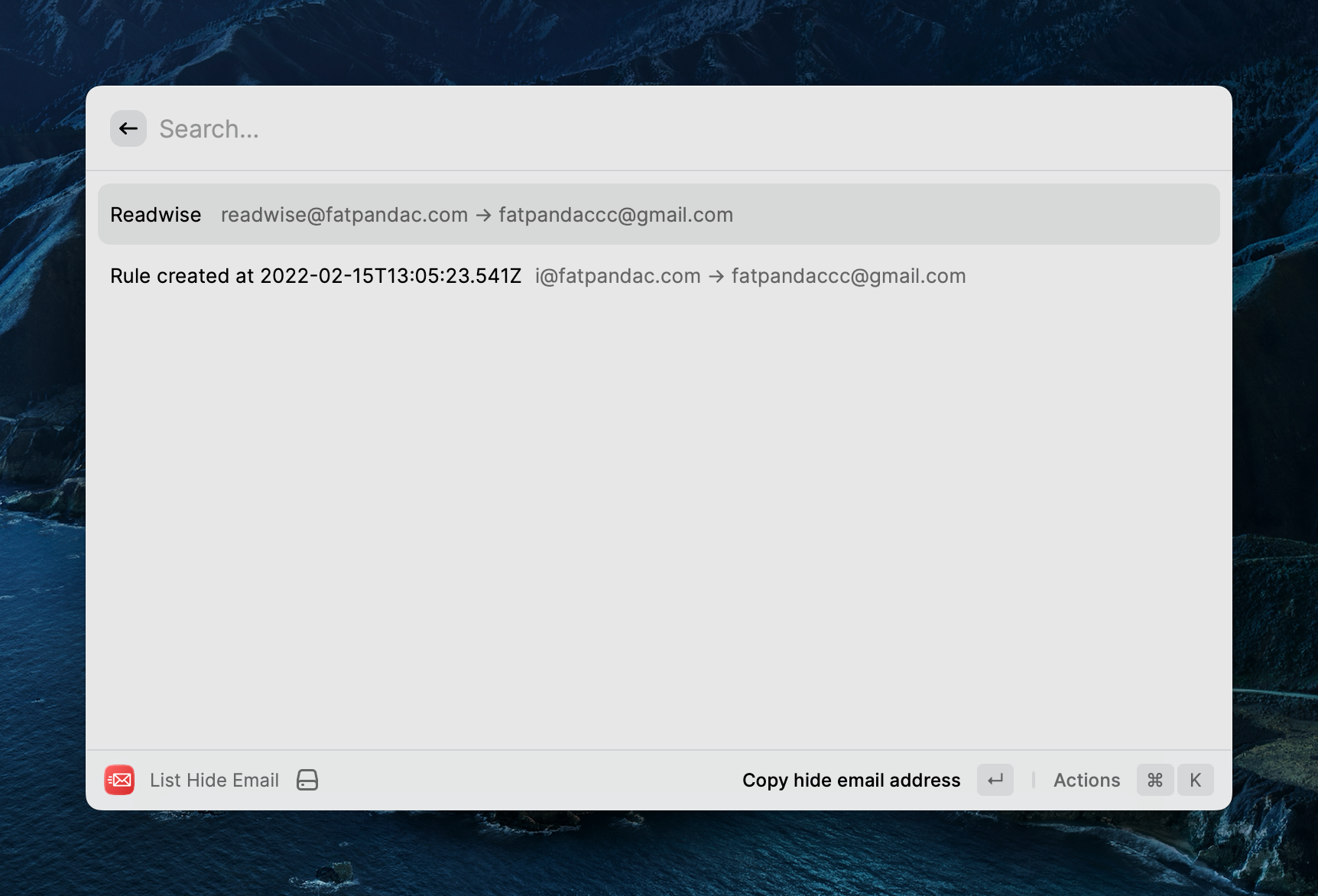
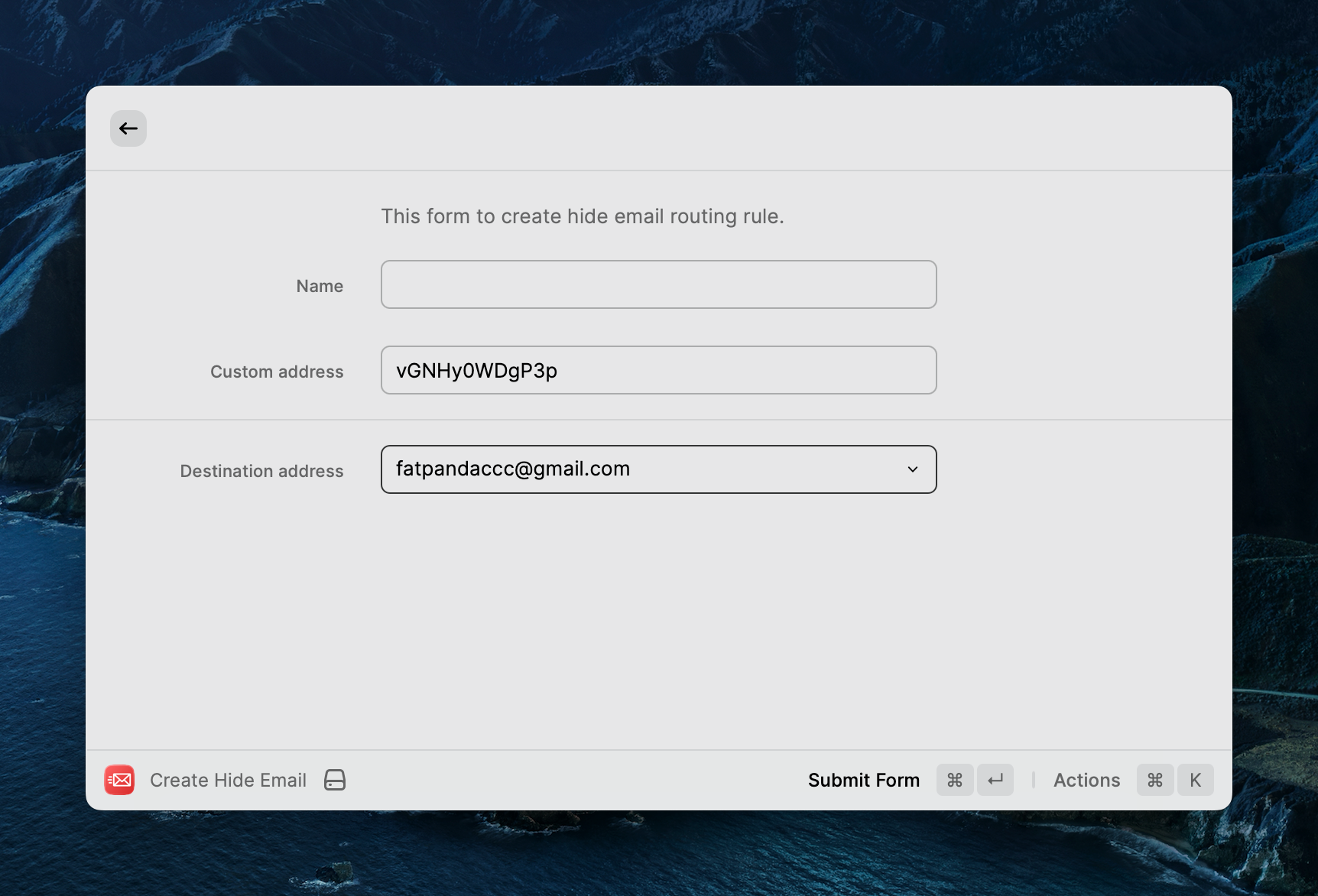
The other entry point is "Create Hide Email," where you can create new forwarding rules. It thoughtfully auto-completes the email prefix based on your domain for the email address you're creating, allowing you to complete the forwarding creation more quickly. This is highly efficient when you don't have very specific requirements for the email address.
After creating it, I uploaded a standalone copy to my own GitHub repository https://github.com/Fatpandac/Raycast-Cloudflare-Email-Routing. Then, I also submitted a PR to the official Raycast extension library. Once it officially launches on the Raycast Store, I'll promote it on V2EX. This is already the third Raycast extension I've written, and I feel quite seasoned and familiar with the process.